In this story
If you have just clicked a suspicious link, the order of what you do next matters more than speed. Stop contact, protect your money and accounts, then check your device and report. Clicking carries some risk, but how much depends on what happened after the click.
Exposure: Not All Clicks Are the Same
First, know that not all clicks represent the same risk. Merely clicking a scam link is different from entering your password, providing credit card details, or giving scammers remote access to your device.
The New Zealand Government advises that if you receive a suspicious email, message, or call, do not reply or click on any links. Similarly, Own Your Online notes that if a message could be a scam, particularly if it asks for your password or credit card information, you should not respond and should contact the organisation directly through official channels, usually found on their verified website.
However, if scammers have already gained remote access to your device, Consumer Protection's advice is that you should stop using the device immediately, secure other accounts, and call your bank. Similarly, CERT NZ warns that if you receive a call requesting personal or financial information, or remote access to your device, you should not provide it. Instead, call the company yourself using the contact information they provide on their official website.
First Steps: Protecting Your Money and Accounts
As soon as you suspect you've clicked a scam link or entered your details in a fraudulent site, the top priority is to discontinue any further contact with the scammers. If you've made a payment, the New Zealand Government advises not to make any more and to immediately contact the bank or financial service you sent money through.
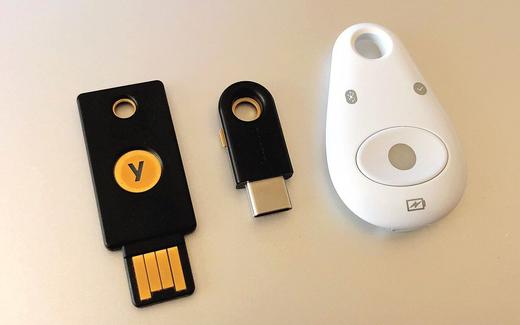
Next, secure your online accounts. Change passwords for any accounts that could be linked to the scam, and turn on 2-factor authentication wherever it's available, advises Own Your Online. Even if you think you haven't provided your password, Consumer Protection says you should alert your bank and use the bank or agency's official website to change any passwords you entered on a phishing site.
Changing Linked Accounts
As part of securing your accounts, prioritize changing your email password. A compromised email gives scammers access to the password reset process for your other accounts, warns CERT NZ. Immediately create a new, strong password for your email, then use a unique, strong password for every other account.
This is also the time to ensure your accounts have the best in-built protection. Own Your Online recommends turning on 2-factor authentication for all accounts: at a minimum your email, social media, banking and financial services, cloud storage, and shopping services. Also, while you have access, check your account settings for anything changed by the scammer, such as account recovery choices and auto-forwarding.
Once contact has stopped, your main accounts are secured and two-factor authentication is on, turn to the device itself.
Cards, Identification, and Warning Shots
When credit card details have been entered into a scam site, Own Your Online advises contacting your bank immediately. With full name, address, and card details, identity theft is a risk. If you have already clicked, change your passwords and two-factor settings first, then scan the device.
If you were scammed on social media or an online marketplace, New Zealand Government guidance says you should report it directly to that specific platform. For other scams, the preferred reporting split for phishing is to CERT NZ, while card fraud should be reported to your bank, and scam texts and emails should go to the Department of Internal Affairs. Investment scams can also be reported to the Financial Markets Authority, and scams that cost you money can be reported to the Police on 105.
Device Scans and Future Emails
A link can also install malware, although most scam links are after your details rather than your device. A scan is still worth doing.
Run a full scan with your security software and remove any app you do not recognise, especially remote-access apps installed at the scammer's request. Write down what happened and when, so you can tell your bank and the police which device and which message were involved.
Expect follow-up attempts. Details taken in one scam are often reused: scammers may send messages that appear to come from you, or contact you pretending to help recover lost money.
Keep checking your email settings for forwarding rules you did not create, and treat any new offer to recover your money for a fee as another scam.
By stopping contact, securing money and accounts first, and only then scanning and reporting, you limit what the scammers can do with anything they took.